AI Ecommerce Imagery for Homewares: A Practical Playbook
Homewares brands live and die on imagery. A ceramic vase, a linen throw, a walnut side table: none of it sells without a hero shot, a styled surface, a full room scene, and a texture macro. At Absolutely AI we build imagery pipelines for homewares catalogues that would take months and cost six figures to shoot traditionally. This guide is the playbook we use.

Homewares is the category AI imagery was built for. High SKU counts, seasonal refreshes twice a year, room context that carries as much weight as the product itself, and physical shoots that routinely run $8,000 to $20,000 per set once you add a stylist, prop house, and location day rate. Most competitor guides on this topic are shallow tool listicles. This one is the pipeline the team at Absolutely AI runs for homewares clients: a shot-type taxonomy, reference-anchored workflows, a QA rubric, and a costed comparison against a traditional shoot day.
Why homewares is the perfect category for AI imagery
A mid-sized homewares brand carries 400 to 2,000 SKUs and refreshes the catalogue at least twice a year. Every product needs a clean pack shot, a styled hero, a lifestyle context, and at least one texture detail. Multiply that out and you are looking at 1,600 to 8,000 finished images per season, before you get to social crops and paid ad variants. Traditional production simply cannot keep up at that cadence without ballooning cost or cutting corners on styling.
The category is also uniquely suited to generative workflows because room context sells the product. A ceramic vase on a paper backdrop tells you the silhouette. A ceramic vase on a limewashed console, morning light through a linen curtain, with a stack of monographs beside it, tells you why to buy. That contextual sell is where AI beats the economics of traditional shoots decisively, as we cover in our breakdown of AI ecommerce lifestyle photography.
The four image types every homewares store needs
Not every AI approach works for every shot type. The mistake most brands make is trying to force one workflow across the whole catalogue. Here is the mapping we use in production.
| Shot type | Purpose | Best AI approach |
|---|---|---|
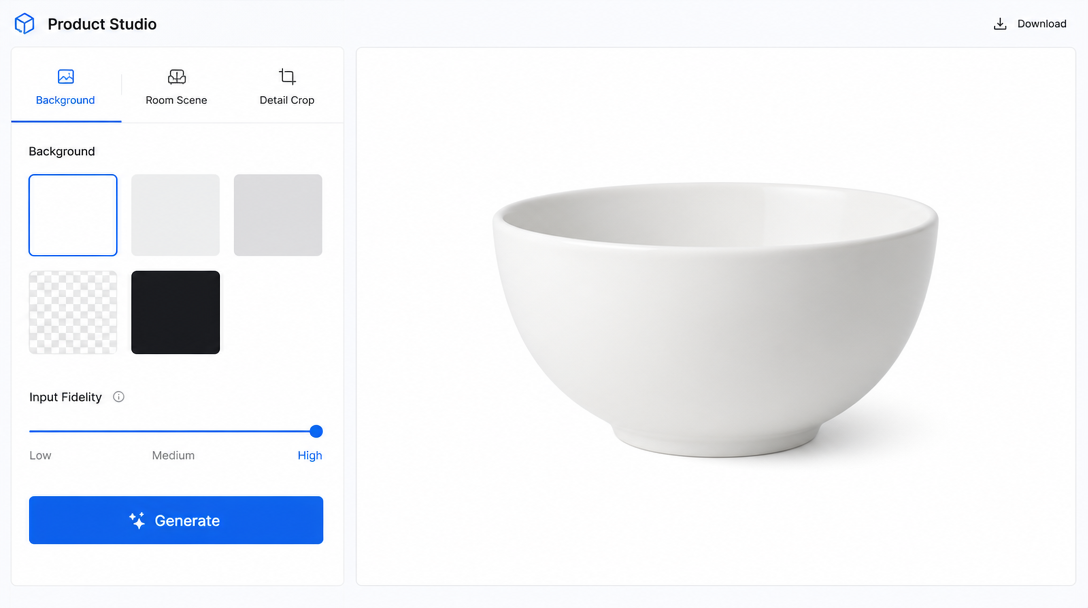
| Pack shot on white | Category page, marketplace feed, Shopify grid | Reference edit with background removal, gpt-image-2 or Nano Banana at high input fidelity |
| Styled hero on surface | Product page hero, PDP scroll | Reference edit with generative surface and props, Seedream 4 or Flux Kontext |
| Full room lifestyle | Editorial banners, email, paid social | Reference-anchored scene generation with the product composited or edited in place |
| Detail or texture macro | PDP zoom, materiality proof | 3D render if the SKU exists in CAD, otherwise photo edit with tight crop |
Read that table as a decision matrix. A brand shipping 500 SKUs a season needs a workflow for each row, not a single tool. For a wider view of how these workflows plug into a Shopify catalogue, see our guide on AI ecommerce photography for Shopify.
Reference-anchored vs generative-from-scratch
The single biggest technical decision for homewares is whether the model is generating a plausible vase or reproducing your actual vase. For SKU-accurate imagery the answer is always reference-anchored. A generative text-to-image model asked for a stoneware pitcher will invent a pitcher that looks nothing like the one you are selling, and customers will notice the moment the parcel arrives.
Reference-anchored workflows use edit or img2img modes with a real product photograph as the anchor. Nano Banana and Seedream 4 both handle this well for scene changes. gpt-image-2 edit mode with input fidelity set to high preserves logo detail and glaze pattern in ways earlier models could not. Flux Kontext is strongest when you need to keep the product exact and rebuild everything around it.
Where reference-anchored breaks down is on fine texture or specular materials: brushed metal, cut crystal, high-gloss lacquer. For those SKUs, we fall back to 3D render pipelines if the client has CAD files, or shoot a single hero traditionally and let AI generate the room variants. This hybrid approach is covered in more depth in our piece on AI ecommerce product imagery at scale.
Room context: prompting for believable interiors
The room around the product is where amateur AI imagery falls apart. Bad interior generation reads as CGI: floors that meet walls at impossible angles, windows with no glass, plants that no botanist could name, and light sources that contradict each other. Believable interiors come from three prompt disciplines.
- Style specificity. Name the tradition. Australian coastal, Japandi, mid-century Danish, warm minimalist, Provencal farmhouse. Vague prompts get vague rooms.
- Light source and time. Golden-hour window light from the left, overcast north-facing daylight, soft evening lamp glow. Specify one primary source and let the model derive shadows from it.
- Scale cues. Include a secondary object of known size, a coffee cup, a paperback, a hand reaching in from the edge, so the viewer can read the product's real dimensions.
On the human question, cropped hands and forearms add warmth without the model-release headaches of full portraits. A hand pouring from a jug or setting down a bowl tells a lifestyle story in a single frame. This is the same discipline we apply to AI product photography more broadly.
The 2026 tool landscape
The market has consolidated meaningfully in the last twelve months. Point tools are giving way to workflow platforms, and the underlying models matter more than the interface wrapped around them. Here is how we'd map the current stack for a homewares team.
- Picjam. Fast batch background swaps and lifestyle drops. Strong for pack shots and simple hero variants; limited on complex room scenes.
- WizStudio. Good mid-market option with a template library. Templates are a blessing and a curse: quick wins but easy to end up looking like every other brand using it.
- StockIMG. Volume-oriented, weaker on reference fidelity. Fine for social crops, poor for hero PDP work.
- ALL3D. The pick if you have CAD files. 3D-first workflow with strong material accuracy, worth the setup cost for furniture and lighting brands.
- SellerPic. Marketplace-focused, strong for Amazon and eBay feeds. Not built for editorial or paid social.
- Fibbl. AR-focused with imagery as a byproduct. Interesting for premium homewares wanting a virtual-try angle.
Underneath all of them sit Nano Banana, Seedream 4, Flux Kontext, and gpt-image-2. The tool is largely a UX layer; the model choice is what determines final quality. Any serious in-house team should be running direct API access to at least two of these models, with the platform tools reserved for volume work.
A repeatable production pipeline
Consistency at scale comes from a documented pipeline, not from talent alone. The one we run has six stages.
- Brief. One page per SKU cluster: brand references, palette, forbidden props, target rooms.
- Reference upload. Every product needs at least one clean, evenly-lit hero photograph as the anchor. This is non-negotiable for accuracy.
- Prompt template per deliverable. Separate templates for hero 4:5, lifestyle 16:9, social 9:16, and detail macro. Templates lock style variables so only the SKU and room change.
- Generation. Batch through the assigned model per shot type, four variants per deliverable.
- QA pass. Human review against the rubric below.
- Export. Deliver in Shopify, Amazon, and Meta specs with correct compression.
The QA rubric is the least glamorous and most important part. We check every image for hand and finger artifacts, seams where the product meets the surface, shadow direction consistency with the stated light source, brand colour drift on fabrics and timbers, and reflection logic on any glass or ceramic. Anything failing two of the five gets regenerated. Our full production stack is documented in how AI product photography works.
Cost: AI pipeline vs traditional shoot
A traditional homewares shoot day in Sydney or Melbourne prices out around $12,000 to $18,000 all in: photographer, stylist day rate, prop house hire, location fee, catering, retouching. You get 40 to 80 finished images from that day if the team is efficient. That works out to $150 to $450 per image, and each additional aspect ratio counts as an additional image.
An AI pipeline for the same output, once the templates and QA rubric are set up, runs a fraction of that on a per-image basis and produces every crop from the same source scene. The bigger delta is calendar time: what took a two-week production cycle now closes in three to five days. For the full commercial breakdown see our note on AI product photography cost in Australia.
Conversion, SEO, and disclosure
Great imagery still needs the on-page fundamentals. Every AI-generated product image needs descriptive alt text with the SKU name, product schema markup on the PDP, and inclusion in your image sitemap. A/B testing AI hero shots against traditional shots on live PDPs consistently shows parity or lift when the AI work is done well; the failure cases are always production-quality issues, not the fact of AI itself.
On the legal front, the ACCC treats product imagery under the same misrepresentation rules as any other advertising claim. AI is not itself a problem, but colour accuracy on fabric and paint, dimensional accuracy on furniture, and material representation on ceramics and timber all need to hold up against the physical product. Where the imagery is stylised beyond the product itself (a scene that could not exist), disclosure is prudent even where it is not strictly required. Returns risk climbs sharply when the delivered product does not match the hero shot, and no cost saving is worth that trade.
Frequently Asked Questions
Do I need to disclose that a product image is AI-generated?
Under current ACCC guidance, disclosure is required where the image would mislead a reasonable consumer about the product itself. A stylised room scene around a real product is generally fine. A representation of the product that misstates its colour, texture, size, or materials is not.
Can AI handle transparent or reflective products like glassware?
Yes, but it is the hardest category. Reference fidelity models handle simple glassware well. Cut crystal and heavily faceted pieces still benefit from 3D render or a traditional hero, with AI handling the room variants.
How many reference images do I need per SKU?
One clean, evenly-lit hero is the minimum. Three to five reference angles produces meaningfully better results for complex shapes, especially furniture and lighting.
Will Amazon and eBay accept AI-generated product imagery?
Both marketplaces accept AI imagery today provided the product representation is accurate. Amazon's main image rules still require a pure white background and no props, which AI pack-shot workflows handle cleanly.
What about seasonal refreshes: can AI keep a consistent look across drops?
This is where templated prompts pay off. Locking style variables at the template level means seasonal drops share a visual language even when the SKUs and rooms change entirely.
How do I test AI imagery against my current shots before switching?
Run parallel PDPs on a subset of SKUs, split traffic evenly, and measure add-to-cart and return rate over four weeks. This is a cleaner test than conversion alone because it catches misrepresentation issues that show up in returns rather than in the funnel.
Do I still need a photographer on staff?
For reference capture, yes. Someone needs to shoot the anchor images cleanly. That role becomes a small, high-value part of the pipeline rather than the bottleneck it is today.
How does AI imagery affect SEO?
It does not directly, provided you handle alt text, structured data, and image sitemaps the same way you would with any other imagery. The indirect benefit is volume: more crops, more contexts, and more PDP variants surface in image search than a traditional shoot could ever produce.
Bringing it together
Homewares brands moving to AI imagery are not chasing a novelty. They are catching up with a production reality that lets them ship more SKUs, more rooms, and more contexts than any traditional pipeline could sustain, at editorial quality when the workflow is set up properly. The playbook above is the one we run day to day with Absolutely AI, and it is the fastest way we know to move a homewares catalogue from a two-week shoot cycle to a three-day one without losing the room-context storytelling that makes the category sell.