AI Jewellery Photography for Ecommerce: A 2026 Workflow
Jewellery is the hardest product category to fake with AI, and also the one with the most to gain. Metals mirror everything around them, stones split light into caustics, and buyers zoom in to inspect prongs and hallmarks. This guide from Absolutely AI walks through a practical 2026 workflow for AI jewellery photography that actually survives a product detail page.

Jewellery sits at the intersection of two problems most AI photography tools do not solve well at the same time: tiny reflective surfaces and buyers who zoom. A ring that looks correct at thumbnail size can fall apart at 2x on a product detail page, with a hallmark that reads as a smudge, a prong count that drifts between images, or a metal tone that shifts from white gold to platinum between the hero and the macro. The team at Absolutely AI works with ecommerce brands who need catalogue-ready jewellery imagery at volume, and the workflow below is what we actually brief for.
Why jewellery is the hardest category for AI photography
Polished metals and faceted stones behave like tiny mirrors. Every reflection in the frame, the softbox, the backdrop, the room the piece was photographed in, becomes a texture on the surface of the piece itself. Generic AI tools treat jewellery as if it were a bottle or a shoe, flat albedo plus one highlight, and the result reads as plastic. For a realistic look you need an input that carries the real optical behaviour of the piece, and a workflow that preserves that behaviour through the generation.
There is a second problem specific to this category. Buyers of jewellery zoom. Shopify and Etsy both encourage 2000 pixel plus product images, and shoppers routinely pinch to inspect the setting, the hallmark, the engraving and the stone clarity before they commit. Fine detail accuracy is a conversion lever, not a nicety. Images that fail at zoom quietly tank add to cart on your highest intent traffic.
The third wrinkle is that jewellery SKUs come in close variants. A ring in 18k yellow gold, 18k rose gold and platinum is three listings with the same geometry and three different materials. The workflow has to swap material without redrawing the piece, or you lose the SKU identity across the catalogue.
The four shot types every jewellery PDP needs
Before picking a tool, decide what you are generating. A complete jewellery listing on a Shopify or Etsy storefront is almost always built from four shot types, and only two of them are safe to generate with AI today without heavy supervision.
- Hero on a neutral or branded background. One square and one 4:5 for feed. AI handles this well as a background swap over a clean studio capture.
- Macro or detail shot. The stone, the setting, the hallmark. AI struggles here unless the input is a high resolution macro you are only relighting, not regenerating.
- Scale shot. On hand, on neck, on ear. AI on model placement is the newest route and the most error prone. Hands and ears are where generative models still break.
- Lifestyle or contextual mood. The piece in a scene, often without a model. This is where AI earns its keep, because the piece itself is small in frame and the scene around it is generated.
Mapping shot types to generation routes before you brief anything saves a round of rework. Our general rule, documented in more detail in our breakdown of AI versus traditional product photography, is to generate the volume shots and shoot the hero moments.

How AI jewellery photography actually works: three input routes
There are three distinct technical routes for generating jewellery imagery in 2026, and most vendor landing pages collapse them into one. Keeping them separate is how you choose the right tool for each shot type.
Route 1: product photo in, background swap and relight
You start with a real photograph of the piece on a plain backdrop, and the tool masks out the subject and generates a new background around it. The piece itself is untouched pixels, which means the stone, prong count, hallmark and metal tone are preserved perfectly. Tools in this lane include CreatorKit, Pebblely, Claid and Pixa. This route is the workhorse for jewellery because fidelity is guaranteed by the input, not by the model, and it is the safest default for anyone building out a product photography pipeline.
Route 2: on model try on
The tool places a ring on a generated hand, a necklace on a generated neck or an earring on a generated ear. Jewelry Model AI, AI Jewelry Model and Photta have all shipped versions of this. The upside is scale shots without a model shoot. The downside is that generative models still fumble hands, so you need to QA every frame for finger count, nail shape and the way the band actually sits on the finger. Treat this route as supervised, never fully automated.
Route 3: text to scene with reference anchoring
You give the tool a reference image of the piece and a text prompt describing a scene, and the model places a version of the piece into the scene. Nano Banana, Flux based tools and Midjourney with image reference all do this. Fidelity depends entirely on the reference anchoring setting. For jewellery this route is only honest for lifestyle moods where the piece is small in frame, not for anything a buyer will zoom into.
Tool comparison for jewellery specifically
Rather than ranking tools head to head, which rarely survives contact with a real catalogue, here is what each is actually strongest at for jewellery work. Pair this with our broader rundown of the best AI product photography tools for context across other categories.
| Tool | Primary route | Jewellery strength | Watch for |
|---|---|---|---|
| CreatorKit | Background swap | Clean studio and branded backgrounds, batch friendly | Highlights can read flat on polished silver |
| Photta | Background swap plus on model | On model previews fast, decent for earrings | Hand poses need review for rings |
| Pixa | Background swap | Good shadow control, consistent set look | Reflections sometimes repeat across variants |
| Jewelry Model AI | On model | Purpose built for necklaces and bracelets | Skin tone range still narrow |
| AI Jewelry Model | On model | Earring placement is the strongest | Lobe shape varies, lock a model reference |
| VortexIQ | Background swap | Shopify native, automates catalogue runs | Less control over scene direction |
| Automated Commerce | Background swap | Bulk catalogue refresh | Opinionated styles, limited brand fit |
| Pebblely | Background swap | Scene variety, mood presets | Reflections not always physically correct |
| WeShop AI | On model | Full body scale shots for layered pieces | Jewellery can detach from body on close zoom |
| Claid | Background swap plus relight | Best for recovering uneven lighting from input | Over relight can erase a hallmark |
The brief that keeps the piece accurate
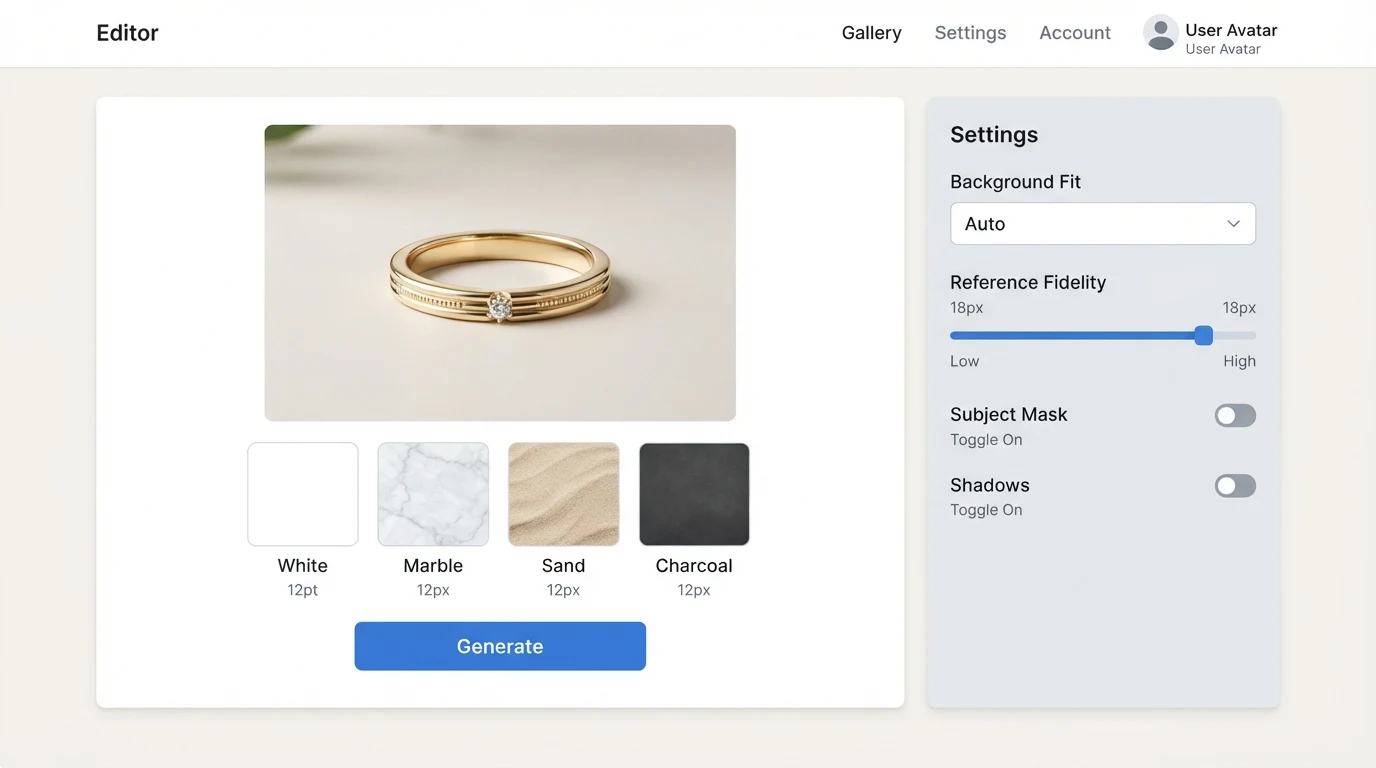
The single biggest lever on jewellery fidelity is how you brief the tool. For background swap work, start with a sharp photograph of the piece, ideally a focus stacked macro so the stone and setting are both in focus. Push the reference or input fidelity setting as high as the tool allows. Most tools expose this as a slider or a toggle labelled fidelity, strength or preserve subject. Lock it.
In the text portion of the prompt, name the material explicitly: 18k yellow gold, 950 platinum, sterling silver with high polish, matte brushed finish. Name the stone cut: round brilliant, emerald cut, oval, cabochon. Name the setting style: four prong, six prong, bezel, pave. These words anchor the model when it is relighting, and they are also what you cross check against the output in QA.
For scene prompts, write them like a photographer would: light source, direction, surface, backdrop. A line like "single soft key light from upper left, matte linen surface, out of focus cream backdrop" produces far more consistent results across a catalogue than "luxury minimalist". Aspect ratios matter too. Shopify and Etsy both reward square, so 1:1 is the primary; 4:5 for Instagram feed and Meta ads; 9:16 for Reels and TikTok where the piece is modelled.
The pre publish QA checklist
Every generated jewellery image should pass a specific checklist before it goes near a storefront. Generic product QA misses the things buyers zoom to.
- Stone count. Count the stones in the output and compare to the SKU spec. Pave bands are where this fails most often.
- Prong count. A four prong solitaire that renders with six prongs is a return.
- Metal tone drift. Compare the hero to the macro and the scale shot. White gold should not drift toward silver or platinum.
- Hallmark legibility. If the hallmark is visible in the input, it should be visible in the output. If a relight erased it, redo at lower strength.
- Finger, hand and ear anatomy. On model shots: five fingers, correct nail shape, band sitting at the correct knuckle, lobe shape consistent across the earring set.
- Shadow direction. Across a set of four to six images, the key light should come from the same side. Mixed shadows read as a fake set instantly.
- Reflection sanity. Does the reflection in the metal match the scene around it, or is it a leftover from the input studio?
Marketplace and disclosure rules
Shopify does not currently require AI disclosure on product imagery, but it does require that imagery accurately represents the product being sold. If an AI generated scale shot shows a different stone shape than ships, that is a representation problem regardless of how it was made. Etsy updated its creative AI policies in 2024 and asks sellers to disclose AI involvement in listings where it is a material part of the item or its depiction. Meta ads policy requires disclosure of digitally created or altered content for ads about social issues, elections or politics, and has been expanding into product categories. Treat disclosure as a moving target and brief your legal or operations lead before a catalogue wide rollout.
When to still shoot real jewellery photography
AI is not the right tool for every jewellery shot, and vendor pages never say so. Shoot real photography for hero campaign imagery that lives on your homepage and in press. Shoot real for bridal and heirloom pieces, where the buyer is spending enough that a trust gap on imagery kills the sale. Shoot real for anything going to print, where the resolution and colour accuracy ceiling of generated images still shows. The honest division of labour is AI for the long tail of PDP imagery and lifestyle variants, real photography for the moments that define the brand.
Frequently asked questions
Can AI generate jewellery product images that are accurate enough for Shopify?
Yes, if the route is background swap over a real input photograph and the fidelity setting is locked high. Text to scene with no input is not accurate enough for product detail imagery that buyers will zoom into.
Will AI generated jewellery images get my Etsy listing removed?
Etsy allows AI assisted listings but asks for disclosure when AI is a material part of the depiction. Background swapped product shots are usually fine; fully generated pieces that misrepresent the item are not. Check Etsy's current creative AI policy before launching.
How do I keep the same ring looking identical across ten lifestyle shots?
Use the same input photograph as the subject in every generation and only vary the scene prompt. Avoid tools that regenerate the subject itself between shots, which is what causes prong and stone drift across a set.
What is the best AI tool for on model jewellery try on?
There is no single best. Jewelry Model AI and AI Jewelry Model are purpose built and strongest on necklaces and earrings. Photta and WeShop AI cover full body scale shots. Every on model output needs manual QA for hand and ear anatomy.
Can AI generate a usable macro shot of a diamond?
Not reliably from text alone. From a real macro input, a relight tool can produce a clean macro variant. For a hero macro that will be zoomed, shoot it.
Do I need to disclose AI generated product images in Meta ads?
Meta's current policy focuses on specific sensitive categories, but the direction of travel is broader disclosure. For product ads, the practical risk is accuracy, not disclosure. If the image misrepresents the SKU, the ad is at risk regardless.
What aspect ratios should I generate for a jewellery catalogue?
Square 1:1 as the primary for Shopify and Etsy, 4:5 for Instagram feed and Meta ads, 9:16 for Reels, TikTok and Stories. Generate the hero in a higher resolution landscape too for homepage and email.
Is AI jewellery photography cheaper than a studio shoot?
Per image, usually. Across a full catalogue with QA, briefing and revisions, it depends on volume and complexity. See our breakdown of AI product photography cost in Australia for how we think about this with clients.
Where this leaves you
AI jewellery photography is a real production tool in 2026, and it is also the category where sloppy workflow shows up fastest. The brands getting it right treat AI as the long tail engine, use background swap over real inputs for anything buyers will zoom into, reserve on model generation for supervised scale shots, and keep real photography for hero and heirloom. If you want this run as a done for you service across your catalogue, including the briefing, prompting and QA passes above, Absolutely AI builds and delivers the full pipeline.