Figma Weave Pricing Explained: Tiers, Credits, and Team Costs
Figma Weave is the node canvas AI generator Figma acquired when it bought Weavy, and its pricing sits outside a normal Figma seat with a separate credit wallet. That structure catches a lot of brand teams off guard. At Absolutely AI we get asked weekly how Weave stacks up, when credits actually run out, and whether the Team plan is worth it for a small studio, so here is the plain English breakdown before you commit.
Figma Weave is one of the more confusing SaaS pricing pages on the market right now. It looks simple on the surface, four tiers with monthly credits, but the real cost depends on which models you use, whether you buy annual or monthly, how often you top up, and whether your team already pays for Figma seats. This guide walks through every tier as Figma currently publishes them, shows how credits translate into actual output, and compares Weave to the alternatives that came up while we were researching options for creative teams working through AI graphic design workflows.
What Figma Weave actually is
Weave is the rebranded version of Weavy, the node based generative canvas Figma acquired in 2025 and folded into its product line ahead of Config 2026. If you have used ComfyUI or a similar node graph, the interface will feel familiar: you chain generative models together, pipe outputs into other nodes, and iterate on a persistent canvas rather than a single prompt box. The Weave versus ComfyUI comparison gets into how the two node canvases differ in practice.
The important thing to understand about pricing is that Weave is sold separately from a Figma design seat. It runs on its own credit wallet. A Figma Full seat or Dev Mode seat does not include Weave credits, and Weave subscribers do not automatically get Figma design permissions. That decoupling is the source of most of the double billing confusion covered later in this article.

Figma Weave pricing tiers in 2026
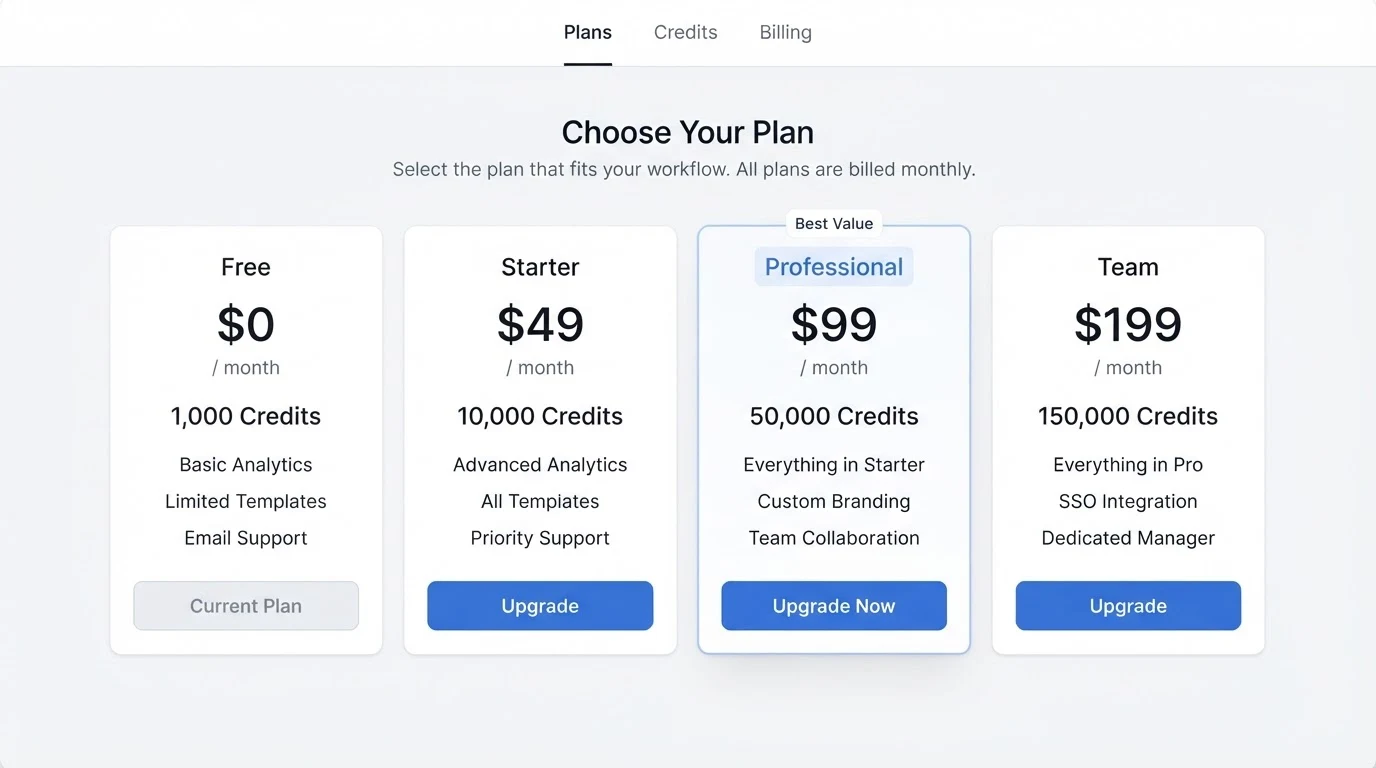
Figma publishes four tiers on its Weave pricing page. Because current numbers move around at each product update, always confirm the live figures on Figma's own pricing page before purchasing. What follows is the structural picture: what each tier gives you and who it fits.
Free
The Free tier is a trial allowance. You get enough monthly credits to run a handful of small image generations, no video access, and no rollover. It exists so you can validate the canvas and prompt structure before paying, not to run production work.
Starter
Starter is the entry paid tier, billed monthly. It unlocks the full set of image models, a modest monthly credit allowance, and light video access. Top-ups are available at the standard credit rate. Best fit is a solo designer or freelancer running occasional ad concepts.
Professional
Professional is the workhorse tier for an individual senior designer or a small in-house creative. Monthly credits roughly double the Starter allowance, video model access is expanded, and workflow caps loosen so you can chain longer node graphs. Rollover rules are more generous. Top-ups sit at a slightly better effective rate than Starter.
Team
Team is billed per seat on an annual commitment and pools credits into a shared workspace wallet. Admin controls, shared workflows, and per seat activity logs come on at this tier. This is the plan most agencies will land on, and the shared pool is the reason: a mixed team burning credits at different rates gets far better utilisation than four separate Professional seats.
| Tier | Billing | Credit pool | Rollover | Best fit |
|---|---|---|---|---|
| Free | Trial | Small monthly allowance | None | Testing the canvas |
| Starter | Monthly | Individual, modest | Limited | Freelancer, occasional use |
| Professional | Monthly or annual | Individual, larger | Partial | Solo senior designer |
| Team | Annual, per seat | Shared workspace pool | Yes | Agencies and in-house teams |
How credits are actually spent
The tier price only tells you half the story. What matters day to day is how many credits each model consumes, because Weave charges different rates for different generators.
As a rough guide from the current model roster, Flux Fast image generations sit at the cheap end at around one credit each. Nano Banana edits cost slightly more per output. Seedream generations, which produce higher fidelity stills, land higher again. Veo 3 video generations are the expensive line item and can cost roughly fifteen times a standard image generation per clip, sometimes more depending on duration and resolution. The Weave pricing page publishes a per model table that is worth bookmarking, because rates shift as new models are added.
A worked example: a thirty second vertical social ad built in Weave might use around forty image generations across storyboard, mood, and hero frames, plus two or three Veo 3 clips stitched together. That single ad can burn a meaningful slice of a Starter monthly allowance in an afternoon. Teams producing several such ads a week will exhaust Starter credits fast and either need Professional or a heavy top up rhythm. This is exactly the pattern we see when brands come to us for AI social ad creative at production scale.
Annual versus monthly and the top-up economics
Annual billing on Weave delivers a discount versus month to month, in the ballpark of two months free depending on tier, and it usually improves the effective per credit price on the included allowance. That does not automatically make annual the right call. If your workload is spiky, monthly plus targeted top ups can be cheaper than committing to a tier one step up.
The break even calculation to run before you upgrade is simple. Add your baseline monthly credits, then estimate the top up credits you would need to add on your current tier. Compare the total against the next tier up including its top up rate. Starter plus regular top ups usually beats jumping to Professional until you are consistently doubling your monthly allowance. Professional plus top ups tends to beat Team until you have at least two seats sharing a workload.
Top ups themselves come in fixed credit bundles and expire on a rolling window rather than immediately. Read the current expiry rules on Figma's page carefully, because expired top up credits are the most common surprise on the annual review.
Team plan mechanics
The Team plan is where the pricing model starts to make sense for agencies. Every seat contributes credits to a shared workspace wallet, and any seat can draw from that pool. A three person studio with one designer doing heavy Veo 3 video work, one doing image only ad variants, and one doing light concept exploration will get far more mileage from a pooled bucket than three individual Professional plans.
Workspace admins can see per seat consumption, cap individual burn rates, and share saved workflows across the team so juniors run the same node graphs as seniors. This is the mechanic that turns Weave from an individual toy into a production tool. If you are running a lean studio and considering Weave alongside outsourced AI content creation, the shared pool is the feature to model your usage against.
Figma Weave versus a standalone Figma seat
The single biggest source of pricing confusion is this: a Figma Full seat, a Dev Mode seat, and Weave are three separate line items on the same invoice. Buying Figma does not include Weave credits. Buying Weave does not include Figma design permissions. Larger orgs regularly discover this on the first renewal after Weave rolls out to their team.
If your workflow needs both, budget for both. If your workflow is purely generative and you export finished assets rather than editing them in Figma design files, you can subscribe to Weave without paying for Figma design seats, which is worth considering for outsourced creative partners who deliver finished frames.
When Figma Weave is worth it versus alternatives
Weave is not the only node canvas AI tool on the market, and it is not always the best fit. The alternatives roundup goes deep on each option, but the short version is below.
| Tool | Model | Best fit |
|---|---|---|
| Figma Weave | Tiered subscription with credit wallet | Teams already inside the Figma ecosystem |
| Krea | Subscription, model access included | Real time exploration and image iteration |
| Freepik AI Suite | Subscription, wider stock plus AI bundle | Marketing teams needing stock plus generative |
| Legacy Weavy Pro | Standalone node canvas subscription | Teams who want node canvas without Figma lock in |
| Absolutely AI | Quoted per scope after a brief review | Teams outsourcing the whole creative pipeline |
Weave wins when your team already lives in Figma, values the shared workspace, and wants generative work sitting next to design files. It loses when your creative work is heavily video weighted (video credits burn fast), when you want a flat subscription with no credit anxiety, or when you would rather hand the whole pipeline to a specialist team rather than staff up in house.
Frequently Asked Questions
Do Weave credits roll over month to month?
Partial rollover is available from Starter upward, with the exact carry rules published on Figma's pricing page. The Free tier does not roll over. Top up credits follow their own expiry window that is typically longer than the base allowance.
Are there refunds if I do not use my credits?
Standard subscription refund terms apply and are set by Figma, not by resellers. Unused base allowance credits are not refundable in cash. Check the current billing terms on Figma's site before your renewal date.
Is there a student or education discount?
Figma has historically offered education pricing on its design product. Weave education pricing is announced separately and is worth checking directly with Figma if you are a verified student or educator, as the policy has evolved through 2026.
Is there an enterprise tier above Team?
Enterprise agreements are negotiated directly and typically add SSO, procurement terms, larger pooled credit allocations, and admin features beyond the standard Team plan. If you are looking at more than a handful of seats, this is the right conversation to open.
Do Weave credits expire?
Base monthly credits expire at the end of the billing cycle if they exceed rollover caps. Top up credits carry a separate expiry window. Missing this distinction is the most common billing surprise, so log both dates in your admin calendar.
Do I need a Figma seat to use Weave?
No. Weave is sold and licensed separately. You can subscribe to Weave without a Figma design seat, and a Figma design seat does not include Weave credits. Teams that want both need to budget for both.
How does Weave compare to Flora?
Flora is another node canvas competitor with its own credit model. The Weave versus Flora breakdown covers the workflow differences and the pricing structure side by side.
Figma Weave pricing is not complicated once you separate the four moving parts: base tier, credit allowance, model cost per output, and top up economics. The mistake most teams make is choosing a tier based on headline price rather than modelling their actual monthly credit burn against the models they will use, especially video. If you would rather skip the credit math entirely and have a partner run the whole generative pipeline end to end, Absolutely AI offers AI graphic design as a fully managed service, quoted per scope after a brief review.