AI Art Direction for Social: A Creative Director's Playbook
There is a difference between AI art and AI art direction. One generates assets; the other decides mood, palette, composition rules, and how a brand holds together across a feed. At Absolutely AI we treat social-first work as a visual system, not a stack of one-off prompts. This playbook is for marketers and founders briefing a creative team, and it skips the prompt library in favour of the operating logic behind a consistent feed.
Most "AI for social" advice is a prompt list. It teaches you to make one nice image, not a hundred that belong to the same brand. Art direction is the layer above the prompt, and it is where campaigns are won or lost. The teams doing this well at agency scale treat every model call as an instance of a larger system, not a standalone creative decision.
What art direction actually means when the tool is a model
An art director's job has never been to make the image. It has been to decide what every image in a campaign has in common: the light, the palette, the framing language, the emotional register. When the tool changes from a photographer to a model, that job does not disappear. It becomes more important, because the model has no taste and no memory. Prompt libraries fail brands because they optimise for novelty per image and ignore cohesion across a feed. The teams delivering strong AI content at scale start with the system, not the sample.
The AI art direction stack for social
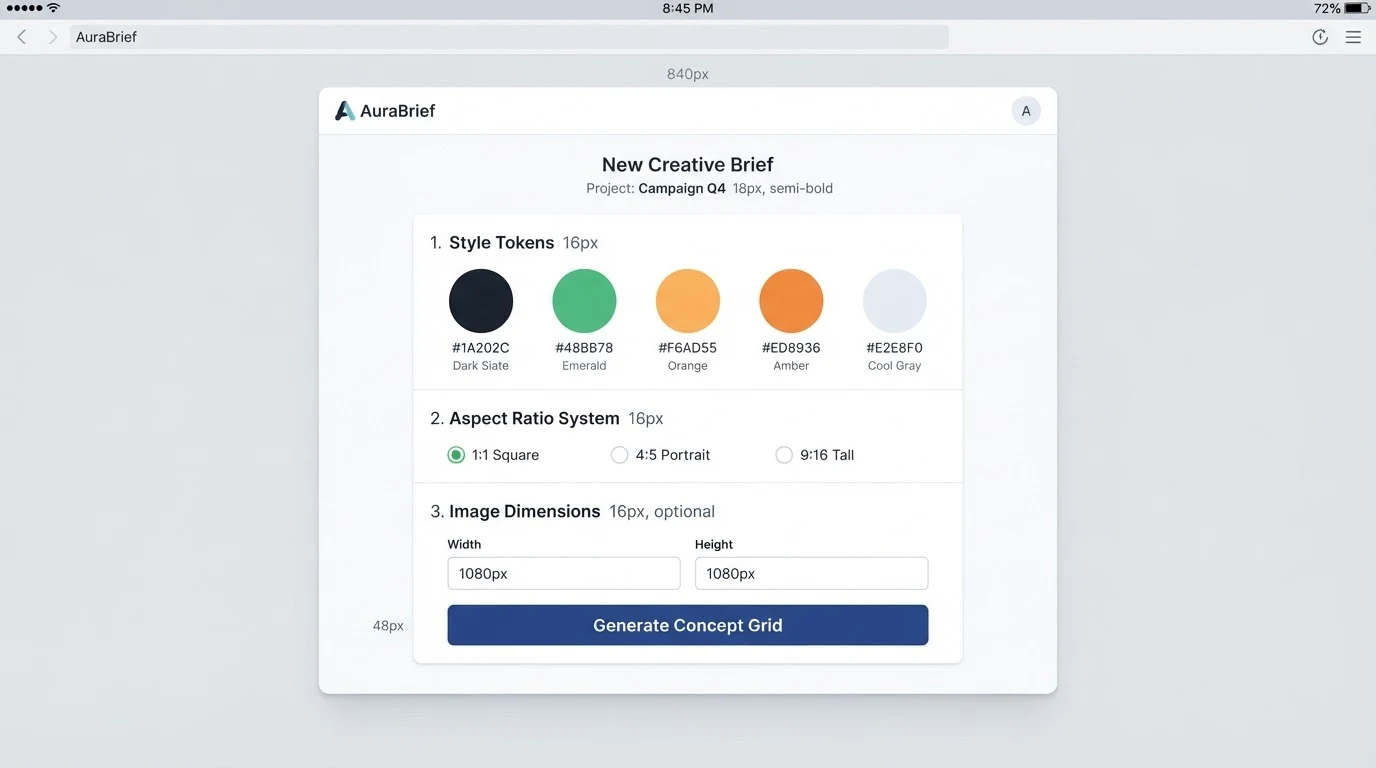
A working stack has five layers: reference boards, style tokens, an aspect-ratio system, model routing, and a post pass. Reference boards lock the mood before a single generation runs. Style tokens are the short reusable phrases you paste into every prompt so palette and lighting stay constant. Aspect ratios (1:1 for grid, 4:5 for feed dominance, 9:16 for Reels and Stories) are decided upfront so nothing has to be re-shot. Model routing means picking the right engine for the job, and it is where most in-house teams over-commit to one tool.
- Midjourney for mood, texture, and cinematic references.
- DALL-E 3 when the composition needs legible in-image text.
- Flux for photoreal product and human work where fingers and faces have to hold up.
- Adobe Firefly when commercial licensing and IP indemnity actually matter.
Routing is not a purist decision. A single campaign might use three engines and stitch the outputs together in post, which is standard practice on the commercial work we ship weekly.
Building a repeatable visual system
The output of good art direction is not a prompt, it is a brief template you can hand to any operator and get consistent work back. Lock the palette, the lighting logic, the camera language, the subject framing, and the negative prompts once, and re-use that block across every deliverable. The template below is a reduced version of what we run on brand systems.
Sample art direction brief block
- Palette: warm bone, deep terracotta, ink black; no pure white, no cool blues.
- Light: single-source soft window light from camera left, gentle falloff.
- Lens language: 50mm equivalent, shallow depth of field, subject-forward.
- Composition: negative space right of subject for overlay type.
- Subject direction: hands visible, eyes not to camera, mid-action.
- Negative: no glossy plastic finish, no HDR halos, no stock-photo smiles.
That block gets pasted into every generation, in every aspect ratio, for the whole campaign. It is the difference between a feed and a folder. It also becomes the reference document for anyone briefing a creative operations rollout.
Channel-specific art direction
The visual system stays; the channel logic changes. Instagram rewards grid cohesion, so palette and framing rules matter more than any single hero. TikTok and Reels are won or lost in the first frame, so art direction has to solve the thumbnail before the story. Pinterest is a search surface, so imagery has to legibly telegraph a topic within half a second. LinkedIn rewards restraint; a busy Midjourney frame reads as marketing and gets scrolled. Teams commissioning social content at volume should have four sub-briefs, one per channel, all inheriting from the master system.
Workflow: from brief to published post
- Brief. Master art direction block plus channel sub-brief plus the specific message for this deliverable.
- Moodboard. Six to twelve references pulled before any generation; this is the taste anchor.
- Concept grids. Two to four grids per deliverable to explore range within the system.
- Selects. Pick two or three per deliverable, not one; leave room for the variation pass.
- Variations. Regenerate on the selects with tighter seed and style-reference control.
- Post-production. Upscale, retouch hands, correct type, add overlay typography in Figma or After Effects.
This is roughly the workflow we describe in how an AI content studio actually runs, and the post-production step is the one in-house teams most often skip.
Consistency tricks the pros use
Consistency across a feed is a technical problem, not a taste problem. Once the system is locked, the mechanics do the heavy lifting. Reusing seeds gives you the same composition under a new prompt. Style references (Midjourney's --sref, Flux's reference-image weighting) carry palette and texture between generations. Character sheets solve the recurring-face problem for founder-led brands. Fine-tuned LoRAs are the endgame for product SKUs and brand mascots, because they encode the object at model level rather than describing it in prose.
| Mechanic | Solves for | When to reach for it |
|---|---|---|
| Seed reuse | Composition consistency | Series posts, before/after pairs |
| Style reference | Palette and texture | Any multi-image campaign |
| Character sheet | Same face across posts | Founder-led and mascot brands |
| Fine-tuned LoRA | Same product or person at model level | Ongoing SKU-based content |
Pre-publish QA checklist
Before anything leaves the studio it clears a fixed checklist. This is boring and non-negotiable, and it is the single biggest quality gap between hobbyist AI feeds and agency-grade output.
- Brand-safety: no accidental competitor cues, no unintended cultural references.
- Hands, fingers, ears, teeth: the classic AI tells.
- Type legibility: any in-image text spelled correctly, kerned properly, legible at thumbnail size.
- Aspect-ratio crop test: does the composition survive the 1:1 crop from a 4:5 master?
- Dark-mode preview: does it hold up in the app UI, not just the export?
- Commercial licensing: model used is cleared for the use case.
When to bring in a human art director
Run it in-house when the brand system is simple, the volume is low, and the risk of an off-brand post is survivable. Bring in a human art director the moment any of those change: a category launch, a rebrand, a campaign with paid spend behind it, or a feed that has started to drift and needs a re-lock. The framework we walk clients through is closer to the one in agency vs freelancer: it is a question of system ownership, not headcount.
Frequently Asked Questions
What is the difference between AI art and AI art direction?
AI art is the output of a single generation. AI art direction is the set of rules that make many generations feel like they came from the same brand. Without the second layer, a feed reads as a mood board rather than a campaign.
Do I need multiple AI models for social content?
Usually yes. Midjourney and Flux cover most mood and photoreal work, DALL-E 3 handles in-image text, and Firefly is the commercially safe fallback. One-model workflows tend to hit a ceiling on either fidelity or licensing.
How do I keep the same face or product across a series of posts?
Use character sheets and style references for short campaigns, and fine-tune a LoRA for anything ongoing. Seed reuse helps for near-identical compositions but will not survive a big prompt change.
What aspect ratios should I generate in?
Generate the master at 4:5 for feed dominance, then crop to 1:1 for grid and re-frame or re-generate at 9:16 for Reels, TikTok, and Stories. Pinterest sits happily on the 4:5 master.
How do I stop AI social content looking generic?
Lock a specific palette, a specific light source, and a specific camera language into every prompt, and add strong negative prompts against the default AI look (glossy plastic, HDR halos, stock-photo smiles). Generic output is almost always under-directed output.
Can I use AI-generated images in paid social?
Yes, if the model's licence permits commercial use and the output has been through a real post-production and QA pass. Firefly is the safest default; other models are fine with the right subscription tier and use case check.
How long does it take to build a brand's AI art direction system?
A tight first-pass system for a single-product brand takes about a week: reference gathering, style token drafting, test generations, and channel sub-briefs. Multi-product or multi-audience brands take two to three.
Should this live in-house or with an agency?
The system should be owned by whoever is accountable for the brand over time. Execution can sit anywhere. Most brands we work with keep strategy in-house and outsource the weekly production and QA to a partner.
Wrapping up
AI art direction for social is the operating system underneath the prompts. Get the reference boards, style tokens, aspect ratios, model routing, and QA checklist right, and the feed holds together no matter who is at the keyboard. If you would rather hand the system-building to a team that runs this every day, Absolutely AI builds and operates it end to end.