The AI Commercial Photography Process, Explained for 2026
AI commercial photography in 2026 is not a button that spits out a finished ad. The working process used by studios like Absolutely AI is a hybrid craft: real product capture, AI-generated environments, careful compositing, and a compliance layer most tutorials skip. Here is how the end-to-end pipeline actually runs, stage by stage, with the tools, checks, and disclosure rules that separate professional output from generic prompt-and-pray results.
Search results for AI commercial photography still lean on a 2024 assumption: type a prompt, get a hero image. That is not how commercial teams ship campaigns today. The professional workflow is a hybrid that anchors every asset to a real, captured product and uses generative tools for everything around it. Studios that treat it this way, including Absolutely AI, produce work that is legally usable on packaging, ad platforms, and PDPs without the awkward artefacts that give AI imagery away.
What AI commercial photography actually means in 2026
The phrase covers three distinct modes, and confusing them is the source of most bad advice online. It is worth naming each before walking through the pipeline, because the tools, risks, and turnaround times differ sharply across them.
- Fully generated imagery. Concept frames, lifestyle scenes, and mood work where no real product exists yet. Common in early campaign ideation and social-first brand photography.
- AI-augmented imagery. A real product photograph is captured, then composited into an AI-generated environment. This is the workhorse mode for retail and ecommerce, and the one the rest of this article focuses on.
- AI post-only. Traditional shoot, then AI handles retouch, background swap, upscaling, or aspect-ratio extension. Fast, low-risk, and often the entry point for legacy brands.
Understanding which mode a deliverable needs is the first creative decision, and it shapes the brief. A skincare hero for Amazon has different constraints from a Meta carousel exploring lifestyle worlds, as covered in our breakdown of how AI product photography works.
The end-to-end process, stage by stage
A commercial AI shoot moves through seven stages. Skip any of them and the output either looks generic or fails a compliance check on the way to publish. The order matters because each stage locks a decision the next one depends on.
1. Brief and concept
Before a camera or a prompt fires, the creative team builds a mood board using generative tools such as Midjourney and Nano Banana (Gemini 2.5 Image). The point is not final imagery, it is locking style references: lighting direction, palette, camera angle, and set dressing. These references become style-conditioning inputs later, so the whole set stays coherent.
2. The asset passport
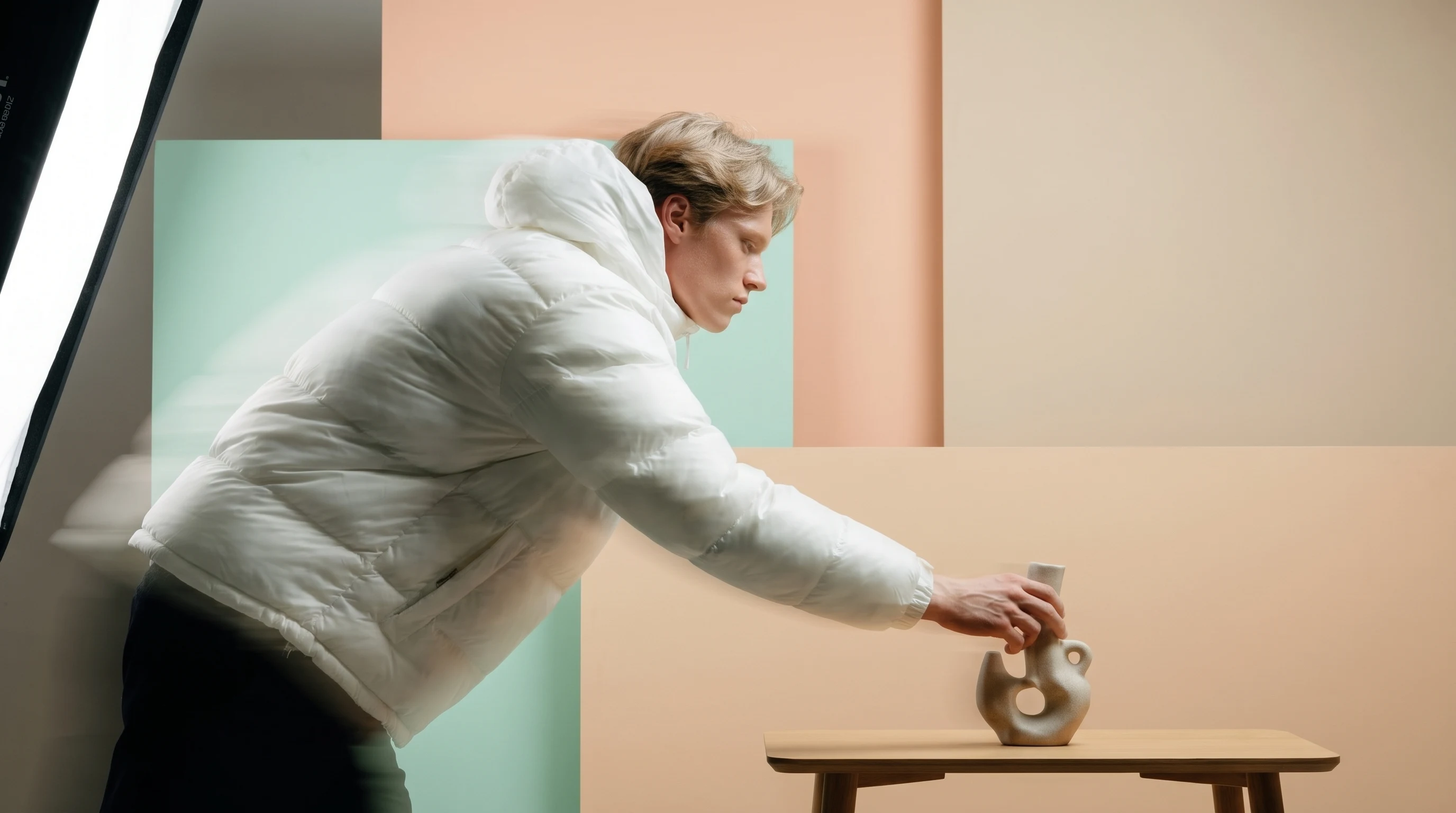
The single most important discipline in modern AI commercial work is the asset passport. The real product is photographed on a neutral background from multiple angles under controlled light. This becomes the immutable reference, the source of truth for logos, colour, packaging text, and proportions across every downstream generation. Without it, brand consistency collapses across a campaign, a problem covered in more depth in our piece on AI vs traditional product photography.
3. Prompt and scene design
With references locked, the team writes structured prompts per deliverable, not per campaign. A hero image, a PDP tile, a vertical social ad, and a horizontal banner each need a different composition, aspect ratio, and negative space plan. Prompts specify camera, lens length, lighting, surface, and environmental cues, and they reference the mood-board frames from stage one for style continuity.
4. Generation
Tool choice depends on the shot. Flux Kontext and Nano Banana handle reference-image conditioning well and are strong for scene generation around a product. Photoroom and Fotographer.ai are optimised for ecommerce-specific tasks like background replacement at scale. Adobe Firefly is chosen when a client requires commercially-safe training data. Wireflow-style orchestration ties these together so a single brief fans out into dozens of on-brand variants, which is how modern ecommerce photography hits volume without losing coherence.
5. Compositing
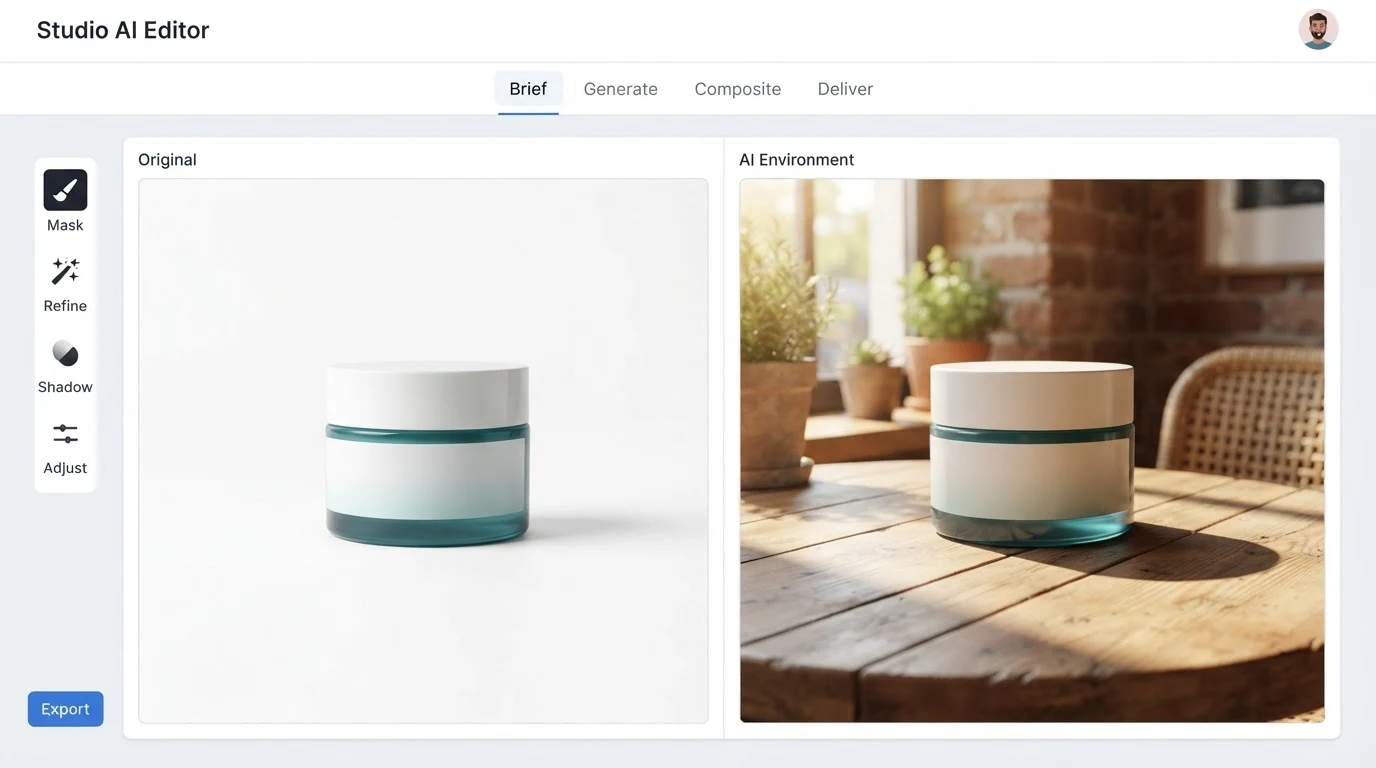
This is the stage most tutorials skip and it is the one that makes the output legally usable. The real product photograph from the asset passport is masked and composited into the AI-generated environment. Logos, packaging text, ingredient panels, and regulatory copy are therefore always accurate, because they come from a real capture, not from a model that guesses at typography. Lighting is matched by adjusting the AI scene, not by regenerating the product.
6. Retouch and QA
Retouching fixes the tells: hands with extra fingers, reflections that do not match the light source, contact shadows that float. Topaz Gigapixel or comparable upscalers bring the composite to print or hero resolution. Brand-safe review checks logo integrity, colour accuracy against Pantone or hex targets, and that no artefact violates category rules (regulated categories like supplements and skincare have specific claim rules, which is why skincare brands and supplement brands need extra review passes).
7. Delivery
Final files are versioned per channel with correct colour profiles (sRGB for web, Adobe RGB or CMYK for print), aspect ratios cut to each placement, and rights documentation attached. That documentation records which tools were used, whether training data was commercially-safe, and any platform-specific disclosure the brand needs to apply at upload. A well-run social ad creative pipeline treats delivery as a compliance step, not a file dump.
Where AI wins, and where it still cannot
Being honest about the limits is what earns trust with clients. AI-augmented workflows are dominant for lifestyle scenes, geography-free environments, seasonal variants, and any deliverable that needs dozens of on-brand versions. They are weaker, and often the wrong choice, for hero macro work on jewellery, fresh food where texture is the sell, or any shot where logo and text accuracy must survive without a composite.
Cost and timeline comparison
The economics look different once you separate a one-off hero from a full campaign. Traditional shoots are strong on hero quality; AI-augmented pipelines win on marginal cost per variant and on turnaround. The following comparison uses qualitative pricing because scope drives the number in both models.
| Factor | Traditional shoot day | AI-augmented workflow |
|---|---|---|
| Turnaround, brief to delivery | 3 to 6 weeks | 3 to 7 days |
| Pricing model | Day rate plus talent, location, post | Quoted per scope |
| Marginal cost per additional variant | High, often a reshoot | Low, regenerate with new prompt |
| Geography and season | Constrained by real location and weather | Any environment, any season |
| Hero macro and packaging text | Native strength | Requires composited real capture |
| Iteration speed | Slow, needs re-shoot | Same day |
For a detailed local view of what shapes those quotes, our note on AI product photography cost in Australia walks through the scope factors that move a project up or down.
Rights, disclosure, and platform rules
The 2026 legal layer is where most in-house teams get caught out. The EU AI Act, Article 50, requires clear disclosure when synthetic or manipulated imagery is used in commercial contexts targeting EU consumers. Meta applies AI-content labels across Facebook and Instagram, sometimes automatically via metadata and sometimes requiring self-disclosure at upload. Amazon's synthetic-imagery policy permits AI on secondary lifestyle images but expects the main product image to represent the physical item accurately, which is exactly why the composited real-product approach matters.
Brands should keep a per-asset log recording tool provenance, whether training data was commercially-safe (Firefly is the common answer here), and which disclosures were applied on which platforms. This is a small operational overhead that protects the brand if a regulator or platform reviews the campaign, and it is a standard part of any well-run AI marketing engagement.
A repeatable seven-step checklist
- Choose the mode: fully generated, AI-augmented, or AI post-only.
- Capture the asset passport of the real product on neutral background.
- Build a locked mood board with generative style references.
- Write per-deliverable prompts with aspect ratio and composition specified.
- Generate environments and composite the real product photograph into each scene.
- Retouch, upscale, and run brand-safe QA against logo, colour, and category rules.
- Deliver with colour profiles, channel-specific aspect ratios, and a rights and disclosure log.
Teams that follow this order ship faster and re-do less. Teams that skip the passport or the composite stage almost always end up in a rework loop when logos drift or platform review flags an image.
Frequently Asked Questions
Does AI commercial photography replace photographers?
No. The professional workflow still starts with a real product capture, and the strongest teams pair a photographer with a creative technologist. What changes is the volume and variety of finished assets a small team can ship from a single capture session.
Is AI-generated commercial imagery legal?
Yes, with disclosure where required. The EU AI Act Article 50, Meta's AI-content labelling, and Amazon's synthetic-imagery policy all permit AI use in commercial imagery provided the brand discloses accurately and does not misrepresent the physical product on primary product images.
What are the best AI tools for commercial photography in 2026?
The current professional stack blends Nano Banana (Gemini 2.5 Image) and Flux Kontext for reference-conditioned scene generation, Photoroom and Fotographer.ai for ecommerce-specific tasks, Adobe Firefly when commercially-safe training data is required, and Topaz Gigapixel for upscaling. Our roundup of the best AI product photography tools compares them in more detail.
How do you keep a product looking accurate across dozens of AI images?
Through the asset passport discipline: photograph the real product once under controlled conditions, then composite that capture into every AI-generated environment. This preserves logo, colour, and packaging text integrity, which pure prompt-only generation cannot reliably do.
Can AI handle food and jewellery commercial work?
These categories still favour traditional capture for hero frames because texture, freshness, and micro-reflections are the selling point. AI is useful for surrounding lifestyle scenes and seasonal variants around a traditionally-shot hero.
How long does an AI-augmented commercial project take?
Three to seven days is typical for a mid-size campaign, from brief to delivered assets across multiple aspect ratios, compared with three to six weeks for a traditional shoot of similar scope.
Do I need to disclose AI use on Meta or Amazon?
On Meta, yes when the imagery is materially altered or synthetic; the platform sometimes labels automatically via metadata and sometimes prompts self-disclosure at upload. On Amazon, primary product images must accurately represent the physical item, and secondary lifestyle images may use AI within category rules.
Bringing it together
The AI commercial photography process in 2026 is a hybrid craft, not a shortcut. Real product capture anchors every asset, generative tools build the world around it, compositing keeps logos and text legally accurate, and a small compliance layer keeps the brand safe on every platform. Teams that treat those stages as a disciplined pipeline get cinematic output at a speed traditional production cannot match. If you want to see this process applied to your product line, Absolutely AI runs the full workflow end to end, from asset passport through channel-ready delivery.