AI Commercial Photography Quality Check: The Agency Framework
The image looks perfect in the thumbnail grid. Then the client zooms in and the model has six fingers, the shampoo label is 30 percent bigger than the spec sheet, and the file is sRGB going to a CMYK press. Absolutely AI runs a four-layer quality gate on every AI-generated frame before it leaves production, and this is what the framework looks like in practice.
A creative brief goes out on Monday. By Wednesday your team has generated four hundred hero frames across Midjourney, Flux, and Firefly. By Friday the client has flagged eleven of them: a warped hand here, a bleed-safe zone violation there, a shampoo bottle whose label is 30 percent bigger than the spec sheet. This is the reality of AI commercial photography quality checking at agency scale, and it is a very different problem to QA-ing a single Amazon listing. At Absolutely AI we ship AI-generated stills and campaigns across print, digital, and out-of-home, so we built a four-layer QA gate that catches these failures before they reach a client review call.
The Four QA Layers of Commercial AI Photography
Most public checklists for AI product photography stop at the question "does it look real." That is enough when you are QA-ing one photo for a marketplace listing. It is nowhere near enough for a campaign shoot with a hero, three lifestyle variants, two crops for social, a 6-sheet OOH cutdown, and a press-kit pack. Commercial agency work needs four separate passes:
- Brief-fidelity: does the image match the creative brief, the product spec sheet, and the brand guidelines?
- Image-craft: does it survive close inspection? Hands, logos, lighting, physics, edge artifacts.
- Production-spec: will the file actually print, place, and export cleanly across every deliverable?
- Legal and brand-safety: can you legally hand this to the client, and can the client legally publish it?
Running these as one blurred pass is how errors slip through. We keep them staged, with different reviewers and different checklists at each stage. For a broader view of the underlying production model these layers sit on top of, see our overview of how AI product photography works.
Layer 1: The Brief-Fidelity Check
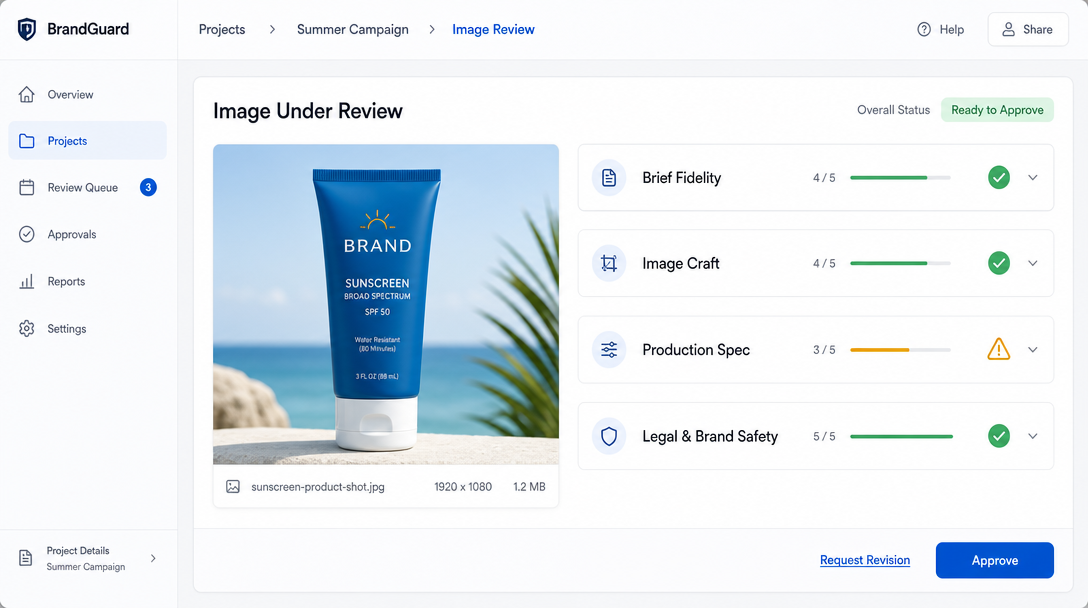
Every frame begins its life as a rendered interpretation of a prompt. That prompt is derived from a creative brief. So the first QA question is not "is this image good," it is "is this image the image the brief asked for." We score every generated frame against three source documents: the creative brief, the product spec sheet, and the brand guidelines.
The brief-fidelity rubric is a simple 1 to 5 score on five dimensions: subject accuracy (is the product the actual product), scene accuracy (does the environment match the brief), tonal accuracy (does the mood match the brief adjectives), composition accuracy (does the crop and layout match the storyboard), and brand accuracy (do typography, colour palette, and treatment match brand guidelines). Anything below a 4 on any dimension goes back to prompt for a revision, not into image-craft QA. There is no point checking finger anatomy on a frame that has already failed the brief.
This layer catches the most common AI failure mode we see, which is prompt drift. Midjourney will happily invent a Scandi kitchen for a supplement brand whose brief specified a South-East Asian coastal setting. Flux will produce a beautiful shampoo bottle that is not, in fact, the client's actual shampoo bottle. Getting this pass right stops downstream work being wasted, and it is where any serious comparison of AI versus traditional product photography really lives.
Layer 2: The Ten-Point Image-Craft Checklist
Only frames that pass brief-fidelity go into craft QA. This is the layer that most published checklists focus on, and rightly, because this is where AI generators get caught out. Our ten-point craft checklist:
- Anatomy: count fingers, count teeth, check eye symmetry, check joint direction on any visible person or hand.
- Hands: every hand gets its own zoom pass. Six fingers, fused knuckles, and thumbs pointing the wrong way remain the number-one AI failure.
- Logo fidelity: brand logos and product wordmarks are pixel-checked against the source asset. Generators love inventing letterforms.
- Contact shadows: where the product meets the surface, is the shadow anchored, or is the product floating a few millimetres above the table?
- Lighting coherence: one light direction across the whole scene. If the key light hits the bottle from the left, the highlight on the fruit next to it must agree.
- Material rendering: glass reads as glass, metal reads as metal, liquid reads as liquid. Plastic-looking skin and rubbery fabric are dead giveaways.
- Depth of field: the falloff should be optically consistent. Watch for edges that stay sharp inside a supposedly blurred plane.
- Edge artifacts: chromatic fringing, halo lines, and morphing edges along the product silhouette.
- Prompt residue: half-formed second bottles, ghost limbs, extraneous garnish that the prompt words summoned by accident.
- Scene realism: does the physics hold up? Impossible reflections, wrong-scale props, plates hovering, water pouring the wrong direction.
We run this pass at 100 percent zoom on a colour-calibrated monitor. Thumbnails hide almost every failure on this list. If you want a working shortlist of which generators tend to fail on which checkpoints, our roundup of the best AI product photography tools breaks that down by engine.
Layer 3: The Production-Spec Check
A frame that has passed craft QA is beautiful. It is not necessarily deliverable. Production-spec QA is the pass where we verify the file actually works in the destination medium, and this is where nearly every published AI-photography checklist stops short. Web display needs 72 DPI and sRGB, print needs 300 DPI and CMYK, and large-format OOH needs a rasterised master that still holds together at billboard scale. AI generators output at whatever pixel count the model was trained on, in sRGB, with no colour profile embedded. Upsampling, profile conversion, and bleed extension all happen after the generation, and each step can degrade the frame if not planned in.
Cross-deliverable consistency is the other half of this layer, and it is invisible if you QA one image at a time. In a campaign set, the hero, the lifestyle, and the detail shots must share light direction, product colour, prop language, and reflection behaviour. AI generators do not share state between calls, so a hero rendered on Monday and a lifestyle rendered on Tuesday will not agree unless you enforce it with reference-image conditioning and a colour-match pass. We build a swatch strip from the hero shot and eyedrop every subsequent frame against it before it leaves production.
Layer 4: The Legal and Brand-Safety Check
The final layer is the one clients care about most and creative teams think about least. Every generated frame carries an IP profile. Was the generator trained on scraped data that a court might later rule against? Does the client contract explicitly permit AI-generated deliverables, or does the master services agreement still assume every asset is human-created? Does the destination platform (Meta, TikTok, Amazon, Google) require an AI-disclosure label on paid placements? Does the frame accidentally include a recognisable real person, a trademarked pattern, or a competitor product on a background shelf?
We keep a legal QA sheet with four checkboxes per frame: generator provenance (which model, what training-data policy), likeness clearance (any real people visible), trademark clearance (any logos, characters, or trade dress belonging to third parties), and platform disclosure (does the destination need an AI label). Any frame that fails a checkbox is either remediated or reshot before the delivery pack goes out. A deeper walkthrough of that legal terrain lives in our piece on AI product photography rights and IP.
Building the QA Pipeline Into an Agency Workflow
The four layers are only useful if they are staged in the workflow, not run as one exhausted final review. Our internal pipeline runs four gates:
- Prompt review: before generation, the creative lead signs off on the prompt against the brief. This prevents most brief-fidelity failures at source.
- Internal craft gate: after generation, a senior retoucher runs the ten-point craft checklist. Fails go into a revision queue with an annotated PDF.
- Production-spec gate: a production designer verifies resolution, colour profile, bleed, and cross-deliverable consistency across the full set.
- Client approval gate: the client receives an annotated delivery pack, meaning a contact sheet, a per-frame QA sign-off sheet, a spec-compliance table, and a legal disclosure summary.
Every revision loop is tracked with a version number and a reviewer name against the frame. When a campaign lands, the client gets not just the finals but a full QA audit trail. Teams thinking about how to run this alongside their own inhouse pipeline can use our AI content creation service as a reference for the delivery-pack format.
Automated QA Tools Worth Using, and Their Limits
Manual QA does not scale to a 400-frame campaign. We use automated tools to accelerate the passes that computers do better than eyes, then layer human review on top of the results.
| Tool | Layer it helps | Where it falls short |
|---|---|---|
| ImageMind | Craft (anatomy, edge artifacts) | Misses logo fidelity and prompt residue |
| VisualQC | Production (DPI, colour profile) | Does not check brief fidelity or brand alignment |
| Photoreka | Craft (aesthetic scoring) | Aesthetic score is not brief compliance |
| Claid.ai | Remediation (upscale, background clean) | Can smooth over craft failures rather than surfacing them |
The consistent limitation is that no automated tool understands the creative brief. Every automated pass is a filter for obvious failure, not a substitute for a human reviewer who has read the brief and knows what the client will notice. For a specific comparison of consumer-grade tooling versus agency delivery, our breakdown of Pebblely versus Photoroom versus an agency is the closest apples-to-apples we have published.
Reject and Reshoot, or Remediate?
Every failed frame poses the same question: is this cheaper to regenerate, or cheaper to fix in Photoshop? Our rule is that anything failing Layer 1 (brief-fidelity) always goes back to prompt. There is no Photoshop fix for the wrong product in the wrong setting. Layer 2 failures split by severity: hand and anatomy fails go back to prompt (they rarely retouch cleanly), while contact-shadow, edge, and prompt-residue fails are usually faster to remediate than regenerate. Layer 3 fails are almost always remediation work: upsample, convert, extend bleed, colour-match. Layer 4 fails go straight to reshoot with a compliant generator or a new prompt structure.
Frequently Asked Questions
How long does a full four-layer QA pass take per frame?
For a trained reviewer, roughly two to four minutes per frame across all four layers, faster with automated pre-filters. A 40-frame campaign set is a full day of QA work when done properly.
Which AI generator has the cleanest QA pass rate?
Flux and Midjourney V7 currently produce the fewest craft failures, but Adobe Firefly and DALL-E 3 hold stronger IP indemnity positions. The choice depends on which layer you are optimising against.
Do we need a separate QA process for video versus stills?
Yes. Video adds temporal consistency checks, frame-to-frame flicker, and motion-artifact QA on top of the four still-image layers. It is a longer pipeline with its own reviewer skill set.
Can the client run their own QA in parallel?
They should. We deliver an annotated pack precisely so the client's brand team can spot-check against their own guidelines before publish. This catches the last 2 percent of brand-fit issues that only the client can see.
Do all AI images need a disclosure label?
It depends on the platform. Meta, TikTok, and Google Ads require AI-disclosure on realistic imagery in political or social contexts, and are expanding the requirements. Always verify current platform policy at delivery.
How do you QA cross-deliverable colour consistency?
Build a swatch strip from the hero frame, then eyedrop every subsequent frame against it in Photoshop or a dedicated colour-match tool. Anything outside a Delta-E of 3 goes back for adjustment.
What is the single biggest QA failure you see in AI commercial work?
Prompt drift on brand-critical elements, specifically logos and product wordmarks. Generators invent letterforms, and this is caught only by a pixel-level comparison against the source asset.
Where This Framework Fits
Commercial AI photography is not less rigorous than traditional production, the rigour has simply moved. Instead of a shoot day and a retouch queue, you run a generation batch and a four-layer QA gate. The agencies producing publishable AI campaign work at scale are the ones treating quality control as a first-class stage of production, staffed by senior reviewers and tracked with the same care as colour-graded rushes. If you want a partner running that gate on your next campaign, our AI product photography service at Absolutely AI publishes every frame through exactly this framework.