Topaz Video AI for Brand Video Post-Production: A Studio Playbook
Topaz Video AI is not an editor and it is not a generator. It is the restoration and finishing layer that sits between your edit and your grade, rescuing footage that would otherwise force a reshoot. At Absolutely AI we treat it as plumbing: unglamorous, non-negotiable, and the quiet reason a shaky founder interview or a soft piece of AI b-roll can still hold its own next to a 4K hero cut.
Brand teams keep hitting the same three problems in post. The reshoot is quoted and nobody wants to pay for it. The archival master is lower resolution than the hero cut it needs to live beside. The AI-generated b-roll looks great at thumbnail size and falls apart on a boardroom display. Topaz Video AI is the tool that quietly solves all three, which is why it earns a seat in almost every brand pipeline we run inside the AI films team at Absolutely AI. The catch is that most reviews describe it as a consumer upscaler, and treating it that way is how studios end up with mushy faces, waxy motion, and licensing exposure they did not plan for.
Where Topaz Fits in a Brand Post-Production Pipeline
Think of Topaz as a single, dedicated stop between the picture-locked edit and the colour grade. The order that actually works in a brand studio is: ingest and sync in your NLE of choice, cut the edit, flag the shots that need rescue, round-trip those specific shots through Topaz as ProRes 422 HQ or DNxHR HQX, reconform the sweetened clips into the timeline, then push the whole sequence into the grade. This mirrors the step order we use when we build AI-driven pre-production for campaigns, where each tool does one job and hands off clean.
Resolve, Premiere Pro, and After Effects all have Topaz plugin paths now, so you can process in place rather than exporting out and back. In practice we still prefer standalone Topaz for anything heavier than a short dialogue clip, because the standalone app exposes the full model list, Workspaces 2.0, and the batch queue. The plugin is useful for one-shot fixes mid-edit; the standalone is where a studio actually lives.
The Five Situations Brand Teams Actually Use It For
Most buying guides list every feature. A brand studio only needs five. The first is upscaling standard-definition archival to sit next to a 4K hero cut, which comes up constantly in anniversary films and founder stories. The second is cleaning shaky, compressed phone footage from founder interviews and behind-the-scenes capture so it can live in a polished edit. The third is denoising low-light event capture when the venue was dark and the gain was high. The fourth is frame interpolation on product shots, usually taking 24 frames per second up to 60 for smooth hero slow-motion. The fifth, and this is the one that has changed the economics of brand video in 2026, is finishing AI-generated b-roll from Runway, Veo, Hailuo, and Kling up to broadcast-grade spec.
That last use case is why we rebuilt our finishing bay around Topaz this year. Generative shots come in at 720p or 1080p, often with soft edges and inconsistent grain, and they need to cut cleanly against camera-original footage. A Topaz pass on those clips is the difference between "obviously AI" and "holds in a thirty-second spot," which matters when you are shipping social ad creative that will be judged frame by frame.
Choosing the Right Model, in Plain English
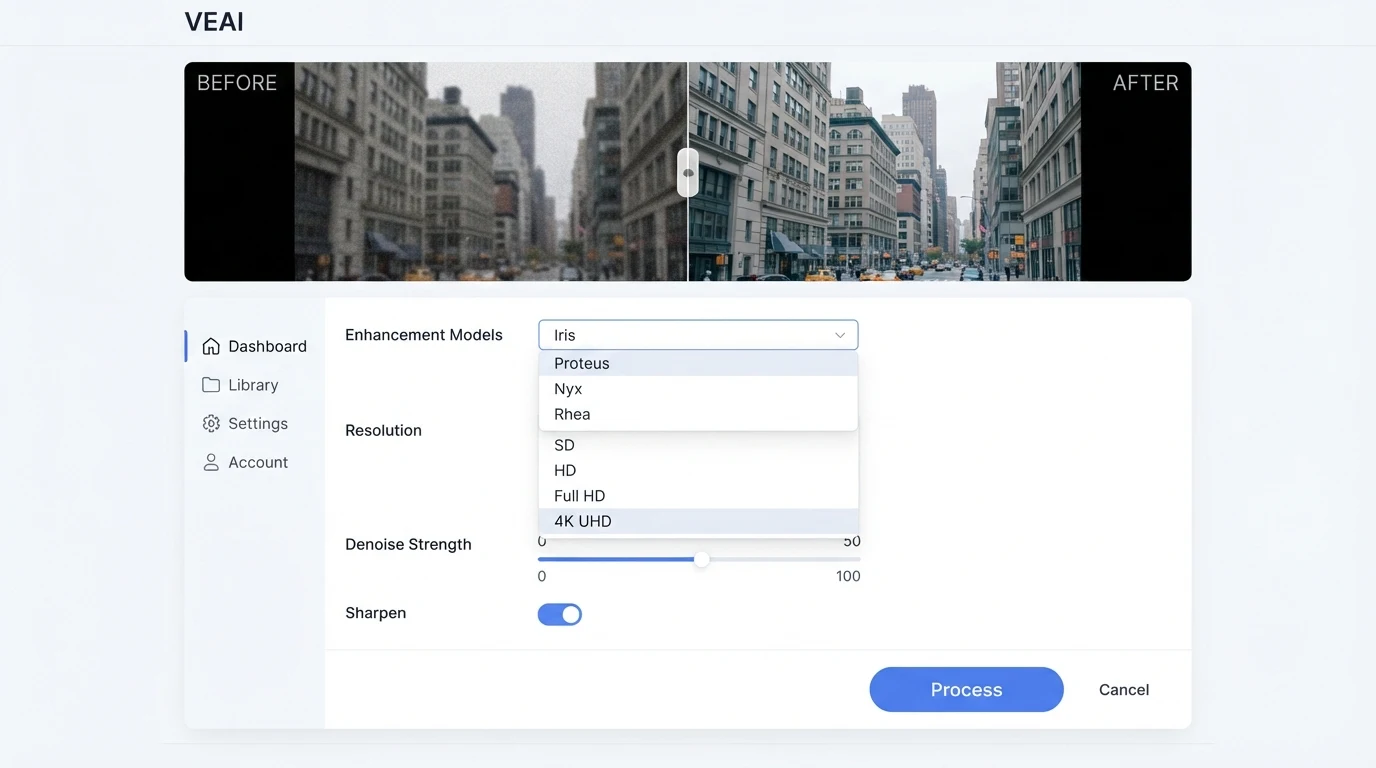
Topaz ships several models and the names tell you nothing. Here is the lookup we actually use. Treat it as a defect-to-model map, not a feature list.
| If your footage looks like this | Pick this model | Why |
|---|---|---|
| General archival or clean master, needs resolution lift | Proteus | Balanced upscale, manual parameter control, safe default |
| Compressed face-forward interview, YouTube or phone source | Iris | Trained for faces and compression artefacts |
| Low-light event, high ISO noise, grainy capture | Nyx | Dedicated denoiser that preserves motion |
| Soft or detail-poor source needing a large upscale | Rhea | Fine-detail synthesis for 2x and above |
| Mixed artefacts, mild compression plus softness | Artemis | Balanced artefact reduction, forgiving on broadcast masters |
| Extreme restoration, degraded VHS, archive rescue | Starlight | Aggressive, slow, reserved for footage that would otherwise be unusable |
One rule that has survived every project we have run: one model per defect, never stack blindly. A phone interview that is both compressed and shaky gets Iris first, then stabilisation, in two passes with QC between them. Running three models on a single clip is how you end up with the uncanny plasticky look that gets a cut rejected in the agency review.
Licensing in 2026, and the Trap Agencies Keep Walking Into
Perpetual licensing is gone. Topaz moved to subscription in late 2025 and the current tiers are Personal, Pro, and Video AI Pro. The Personal tier is cheaper and tempting, but it caps commercial use at organisations below a defined annual revenue threshold. The Pro tier adds full commercial rights, seat management, and is the correct choice for any studio delivering client work. Video AI Pro is the enterprise tier, with on-premise render farm support, multi-GPU, a no-training guarantee on your footage, and output up to 24K for the brands that actually need it.
The trap we see weekly: an agency editor installs the Personal tier on their own machine because it is cheaper, uses it to upscale footage for a client deliverable, and never reads the revenue cap in the terms. If the agency bills above the Personal threshold, those exports are out of compliance. Pro is the only correct tier for client work in a studio of any size. Treat it the same way you treat your Adobe or Resolve Studio commitment: a cost of doing business, not an optional upgrade.
Hardware and Turnaround
Topaz is slow and it will pin a GPU for hours. On an editor's workstation that is a problem, because the machine becomes useless for everything else while the queue runs. The honest answer for any studio processing more than a few shots a week is a dedicated render box: a mid-range workstation with a current-generation GPU, no monitor needed, parked on the network and fed by the batch queue.
Workspaces 2.0 is the feature that makes this practical. You can configure a model chain once, save it as a workspace, and apply it to every clip in a batch. Pause and resume is reliable, so overnight queues survive power events. On the Video AI Pro tier, multi-GPU rendering turns a six-hour queue into a ninety-minute one, which is often the difference between hitting a Friday delivery and slipping to Monday. For teams building out an internal post pipeline, this is one of the places our AI consulting work usually lands first.
A Repeatable Brand-Post SOP
- Pull a representative ten-second test clip from the worst shot in the sequence. Never trust a model choice based on a still frame.
- Run the test through two candidate models at the same settings. Compare side by side in your NLE at 100 percent, not in Topaz's preview window.
- Pick one model per defect. If the footage has two problems, run two sequential passes with a QC checkpoint between them.
- Export sweetened clips as ProRes 422 HQ or DNxHR HQX. Never H.264 or H.265 into the grade.
- Reconform into the timeline, then QC on faces, text, and any logos. Those three are where artefacts show first.
- Hand to colour. The grade should sit on top of a clean Topaz pass, never the other way around.
When Not to Use Topaz
Topaz is a restoration layer. It is not a replacement for coverage you did not shoot. If a scene is missing a reaction shot, Topaz cannot invent one, and that is where a generative pipeline earns its keep. It is also wrong for heavy VFX composites, where the plate work and the matchmove dictate quality long before any upscaling. And if a hero piece of footage was shot well on a current-generation camera, leaving it alone is almost always better than running it through any AI model. Judgement about which shots to touch is the actual craft here, which is why we treat Topaz as one tool in a broader AI content creation stack rather than a magic button.
Frequently Asked Questions
Which Topaz tier does an agency actually need?
The Pro tier is the only correct choice if you deliver client work. The Personal tier's commercial-use cap trips up most studios that assume cheaper is fine. Video AI Pro is worth it once you have a dedicated render box and are processing multiple projects a week.
Can Topaz replace a reshoot?
No. It can rescue footage that is soft, noisy, or lower resolution than you need, but it cannot invent coverage, change performances, or fix bad composition. Treat it as a restoration layer, not a generator.
Does Topaz work well on AI-generated b-roll?
Yes, and this is one of its best use cases in 2026. Runway, Veo, Hailuo, and Kling outputs often need a resolution lift and an edge-cleanup pass before they cut against camera-original footage. Iris or Proteus are the usual choices depending on content.
Should I run Topaz as a plugin or standalone?
Plugin for one-off fixes mid-edit, standalone for anything systematic. The standalone app exposes Workspaces 2.0, batch queues, and the full model list. Studios spend most of their Topaz time in standalone.
What export format should I use coming out of Topaz?
ProRes 422 HQ or DNxHR HQX, every time. Delivering compressed H.264 into a colour grade undoes most of the quality gain you just paid for in render time.
How long does a Topaz pass actually take?
It depends on the model, the resolution, and the GPU. Nyx and Starlight are the slowest. A sixty-second clip at 4K can run anywhere from a few minutes to a few hours. The honest planning answer is to run a ten-second test and extrapolate.
Can Topaz handle 24 to 60 frames per second conversions reliably?
Yes, for most product and lifestyle motion. It struggles with fast rotational motion, transparent objects, and complex occlusion. QC the interpolated frames at full resolution before signing off.
Is Topaz output cleared for commercial broadcast?
The output is yours if you are on the right licensing tier. Rights, releases, and clearances on the underlying footage are a separate conversation and depend on your source material. For anything with legal sensitivity, get in touch via our contact page before you ship.
Buy or Skip
Solo editor, under a few projects a year, no client deliverables? Skip the dedicated subscription and rent a seat when you need it. Small studio delivering client work? Pro tier, dedicated render box, Workspaces 2.0 configured for your three most common defects. Larger studio or agency running multiple campaigns in parallel? Video AI Pro, multi-GPU, treat it as pipeline infrastructure. For teams building out this layer for the first time, Absolutely AI runs the full post stack internally and we are happy to share what we learned so you do not have to repeat the mistakes.